
 Español
 Português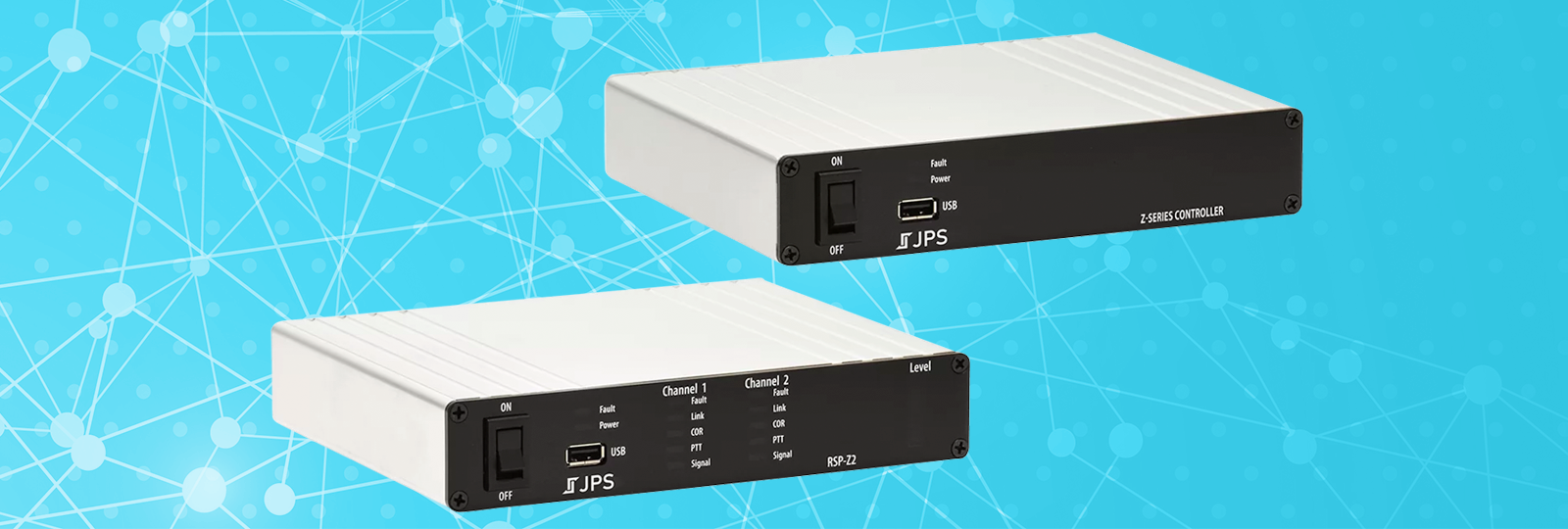
What’s New in Z-Series Software v4.6.0?
- Use your computer or device’s speakers to listen to any audio flowing through your RSP-Z2 or Z-Series Controller.
- Manage, maintain, and control distributed RSP-Z2s from a Z-Series Controller.
- See more resources at once or use a smaller screen more comfortably.
Listen to Audio in Your Computer’s Browser
Version 4.6.0 software for the RSP-Z2 and the Z-Series Controller solves a persistent interoperability problem of not being able to easily monitor the audio flowing through your system without using another device like a USB headset. It accomplishes this with a new resource type, a Listener, that you can freely move in and out of nets or monitors – even dispatch on the Z-Series Controller. Each user who has a Listener resource can begin and end an Audio Session, which starts/stops the flow of audio from the Z-Series system to the web browser (Chrome, Edge, Firefox, Safari, etc.) that listener is using.
The advantages of this new Listener resource type are compelling because they let you:
- Hear audio flowing through your RSP-Z2 or Z-Series Controller from any location, not just locally. If you can browse to the unit, your Listener resource can transmit audio to your web browser.
- Avoid additional setup. Since your Listener uses the same web browser you are already using to operate your Z-Series device, you don’t have to worry about port forwards, connecting another piece of hardware, etc.
- Streamline resource configuration. For years, we’ve been telling you to set radio levels by getting a headset and putting it in a net with the radio resource. Imagine not having to go get that headset. Well, now can use your browser instead.
- Help us help you. Sometimes, audio just doesn’t sound the way you want and you can’t figure out why. JPS support or your own technical support team can borrow a Listener resource to hear exactly what you’re hearing and help fix it.

Up to six concurrent audio sessions for Listeners are available on the Z-Series Controller, and there are up to two on the RSP-Z2. Listener Audio in the Browser capability is linked to a user’s credentials (username and password) and is not automatically enabled. This configuration flexibility is enhanced by two more control features that allow specified users to view and/or eject other Listeners from audio sessions. This frees up resources if a Listener forgets to end their session or logs out with a session open, for example.
Simplify Your Overall System Maintenance
JPS Unity has dramatically simplified the creation of distributed interoperability systems of RSP-Z2s with a managing Z-Series Controller. The built-in Unity feature set has made it easy to link the systems and give the use of distributed RSP-Z2 resources to Z-Series Controller operators. Now, get access to distributed RSP-Z2 system settings from the Z-Series Controller.

- Maybe you want to change from HTTP to HTTPS or enable/disable SSH on an RSP-Z2? Now, you can.
- Need to change the RSP-Z2’s IP address or NTP? Yes, you can do that too.
- Change Ports, update SIP system-wide settings, and push or delete Certificates.
- What about if an RSP-Z2 might be having network trouble? Is there a way to check that for the RSP-Z2 from the Z-Series Controller? Yes, definitely.
- And you can still update RSP-Z2s remotely and download RSP-Z2 logs from the Z-Series Controller. Plus, now you can also remotely reboot the RSP-Z2.
New RSP-Z2 Restrictions Let You Stop Unwanted Z-Series Controller Management
Sometimes, there are good reasons not to change another device’s settings. That’s why the RSP-Z2’s Unity settings has a new group of restrictions to help you avoid unwanted system changes from a Z-Series Controller.

Sometimes Smaller is Better – Compact Resource Size
If you have a very large number of resources you’re working with or are simply using a smartphone or other small device, you probably don’t want to spend your time scrolling. Now there’s a new compact resource size. Like the other horizontal resource types, the new compact resource size gives you access to all dropdowns and other resource controls – just in a smaller space. Resource size is an operator’s preference and can easily be adjusted anytime.

Reliable Support

We at JPS continually endeavor to provide you with professional, honest, and high-quality products and customer support. Giving you that support for free is just one way we can show our respect and appreciation for what our customers do. If you ever have a question or just want to tell us how you’re using our products, we’re here for you.
Download RSP-Z2 and Z-Series Controller software v4.6.0 here.