
 Español
 Português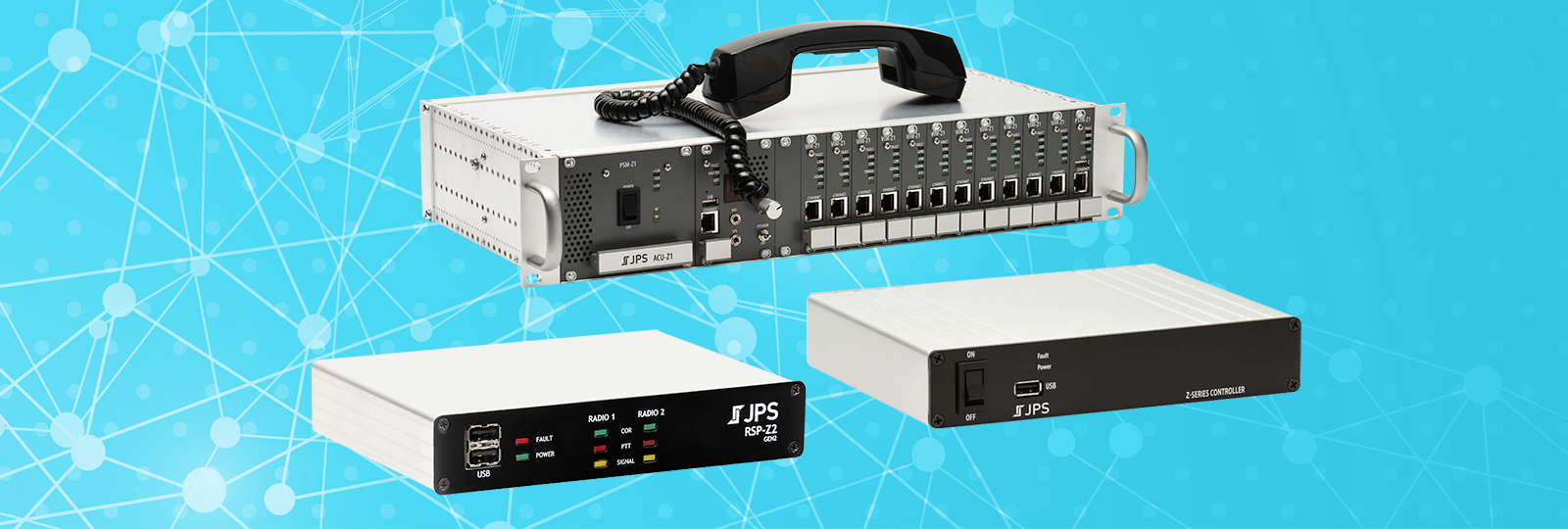
Z-Series 4.10 with Rapid Recall, Visibility Profiles, & Mindshare Integration
JPS Z-Series 4.10 software adds new audio Rapid Recall and other audio playback capabilities, home page visibility options, a new Mindshare resource type, and several other features that enhance audio handling, security, and awareness.
Rapid Recall – Listen to Recent RX Audio
What was that? Did you want to hear something again? That’s Rapid Recall. When Rapid Recall is enabled on a resource, that resource temporarily stores the incoming audio it receives. A few minutes of the most recent audio can be captured this way and can be instantly recalled by the operator from the Home page.

Audio can be recalled one at a time, or multiple files may be played in succession. The default location to hear the audio is through the local web browser, but any resource in the system can be used – including remote resources configured on a shared Unity system.
Stored Audio – Upload or Capture and Play Back to a Resource, Net, or Broadcast Group
While Rapid Recall delivers immediate audio capture and playback, Stored Audio provides a means of permanently capturing or uploading audio – like tones or announcements – for later playback to resources, nets, or broadcast groups.
Several options for audio capture are available. One option is to select the audio file(s) from Rapid Recall to copy and store as a recording. Alternatively, you may upload a file from your computer. Since Stored Audio can be used over Unity, audio files can also be shared between devices in the Unity system. Unlike Rapid Recall, Audio Storage and Playback recordings are permanently saved on the Z-Series device.

From the Home page, an operator may play back stored audio to a net or to a broadcast group. As the audio plays, every resource in the group transmits it to their respective systems (radio, PoC service, etc.). Stored audio can also be played to a single resource via the new Play Stored Audio Operator Action.

Visibility Options – Customize Your View of the Home Page
Two new visibility mechanisms are available in this release. One lets you show or hide parts of the user interface. The other lets you build and save your preferred views then quickly apply them. Both are user specific, meaning that they are saved with the logged-in user’s preferences.
Visibility
From the menu at the bottom of the page, you can hide or show whole areas or specific parts of an area. You can also quickly hide a net or group from its three-dot kebab menu. Of course, you can also use the caret on the net to collapse and expand nets or areas without fully hiding them. When you log out and log back in, the nets and areas will be hidden or shown, collapsed or expanded in the same way you left them. (Resources, however, may have been moved by other users of the system.)

Visibility Profiles
There are many reasons why you might or might not want to see everything on the Home page at once. Visibility Profiles let you find a view you like – with nets, groups, and areas expanded/collapsed and hidden/shown to suit your needs – and save it so you can quickly access it again. Multiple profiles can be saved per user.

Mindshare Resource Type – Connections to Mindshare Consoles
As Push-to-Talk over Cellular (PoC) services become more widely adopted in the field, a familiar problem emerges at the dispatch console: PoC-capable devices can communicate with each other, but getting that audio and data into a console system that doesn’t natively speak PoC is a costly, complicated gap to bridge.
There are ways of addressing this problem, such as a console maker integrating PoC protocols into their system, or an end user buying whole new communication systems. However, ideas such as these are often fraught with unexpected hurdles and may place financial and/or geographical restrictions on the agencies using them.
The recent integration of the JPS RoIP+® protocol by Mindshare confirms how innovative JPS devices like the RSP-Z2 continue evolving and play a key role in the modern communications landscape. Mindshare has worked with JPS to use Z-Series devices to provide a more versatile, cost-effective solution because the Z-Series already provides interoperability for:
- Analog and Digital Radio
- VoIP and RoIP Protocols
- Push-to-Talk over Cellular Service Integrations
- And now, Mindshare

The Bottom Line:
- The Mindshare resource is capable of passing both audio and metadata (Talker ID).
- JPS Z-Series devices are non-restrictive and multi-purpose, protecting existing investments.
Z-Series Software Release 4.10 Also Includes
- TLS 1.3 encryption support for Motorola WAVE PTX and its variants, including: AT&T Enhanced PTT, T-Mobile Direct Connect, and Verizon Push to Talk Plus.
- New Resource Action to apply a pre-set resource profile, changing a resource’s settings with the click of a button.
- Full or Half Duplex setting for the USB Headset resource.
- Mute TX While RX option on most resource types.
- Support for TCP Keepalives on JPS RoIP normal mode resources.
- Default Talker ID can be assigned to any resource type and will be used on resources with Talker ID capability when there is no Talker ID received.
- New Adaptive TX Delay setting is more aggressive in distinguishing the “go-ahead” tone from noise. Learn more about Adaptive TX Delay with trunked radio systems.
- And, of course, general improvements and bug fixes. You may contact JPS Customer Support if you would like to know if a previously reported problem has been corrected.
Learn More and Update Software
Visit support.jps.com to view/download updated Z-Series software documentation.
Download and install the 4.10.1 software/firmware for the RSP-Z2, Z-Series Controller, and the ACU-Z1
- Important: Updating second-generation RSP-Z2s to a software version 4.10.x for the first time must be done by logging into the RSP-Z2’s user interface. It cannot be done over Unity (i.e., from the Z-Series Controller’s Distributed Systems page). Once the second-generation RSP-Z2 has been updated to 4.10.x, this will no longer be required with future releases. We sincerely apologize for the temporary inconvenience.
- All VIM-Z1 and PSTN-Z1 cards installed in an ACU-Z1 chassis will automatically receive software updates from the CPM-Z1 when new software is installed, unless the card has been specifically excluded from auto management.